Storage Health
What Does the Storage Health Overview Show?
The Storage Health table provides an overview of storage usage. It highlights which storage features are utilized and billed for each table, identifying the Snowflake tables that contribute the most to storage costs.
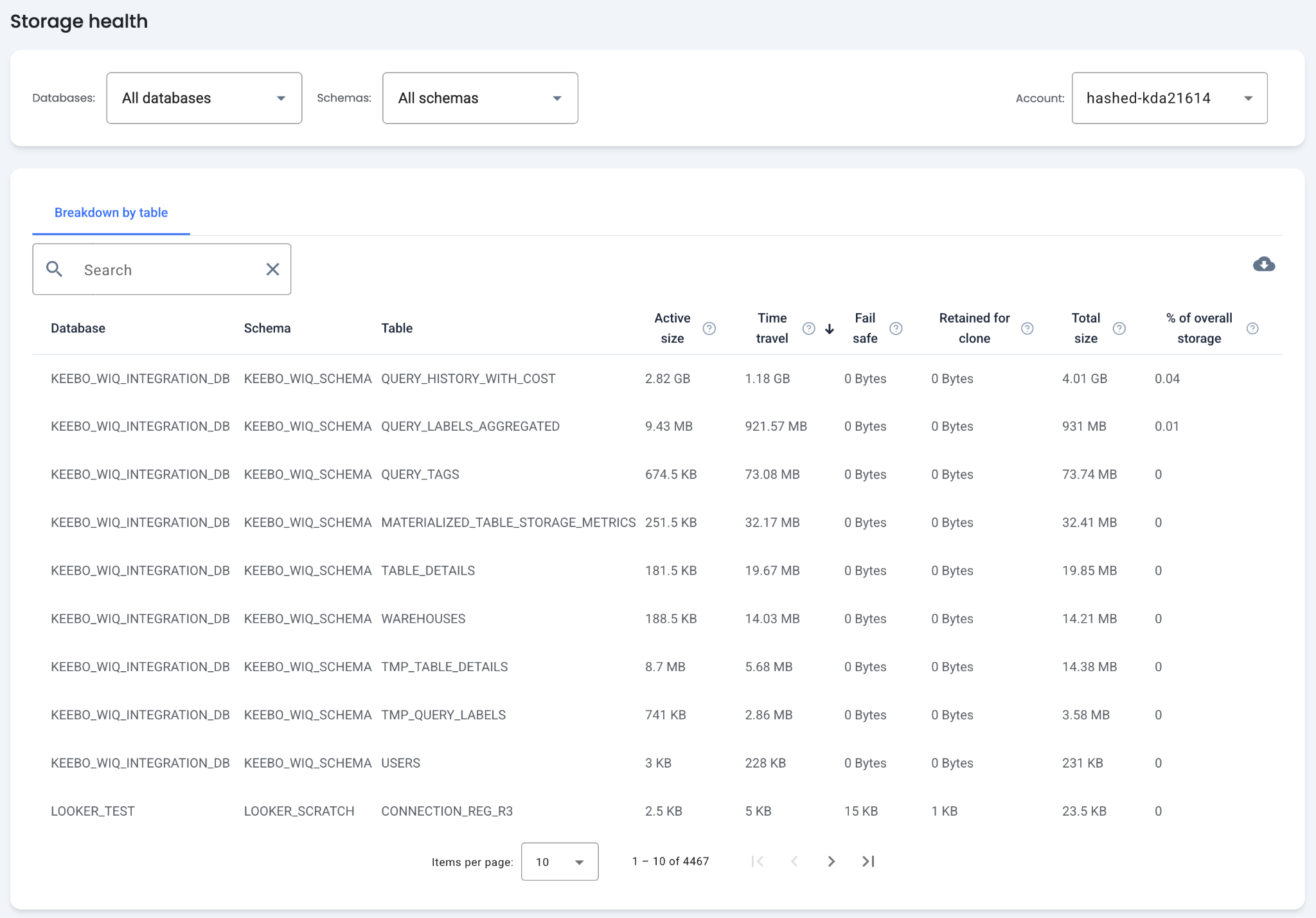
Table Columns
- Table Name — The database, schema, and name for each table.
- Active Size — Bytes owned by and billed to the table that are in the active state.
- Time Travel — Bytes owned by and billed to the table that are in the Time Travel state.
- Fail-Safe — Bytes owned by and billed to the table that are in the Fail-Safe state.
- Retained for Clone — Bytes owned by and billed to the table that are retained after deletion because they are referenced by one or more clones.
- Total Size — The sum of Active Size, Time Travel, Fail-Safe, and Retained for Clone bytes. This represents the total storage billed for the table.
- Percent of Overall Storage — The percentage of the table's size compared to the overall account storage.
How Can Storage Costs Be Reduced?
By default, the table is sorted by largest active size to surface the tables billed for the most regular storage. Sorting by total size shows the tables with the highest overall storage costs. These tables are good candidates for cost optimization.
Trimming Records
Some tables that grow large over time contain records that are not needed. Identifying and trimming these records reduces storage costs.
Optimize Time Travel
Time Travel is a Snowflake feature that provides access to historical versions of changed or deleted data within a defined retention period. This is useful for critical data but may not be necessary for all tables, especially those sourced from external data.
Time Travel incurs costs based on the amount of data stored and the length of the retention period. To optimize costs, identify tables with the highest Time Travel usage and consider reducing the retention period or disabling Time Travel for those tables.
Optimize Fail-Safe
Fail-Safe is a Snowflake feature that provides an additional layer of data recovery beyond Time Travel. It retains deleted or changed data for seven days after the Time Travel period ends, allowing Snowflake to recover data in case of system failures or accidental data loss. Fail-Safe is not designed for user access and cannot be queried directly.
Fail-Safe storage incurs costs based on the amount of retained data. Minimizing unnecessary data retention in Time Travel also decreases the data stored in Fail-Safe.
Optimize Retained for Clone
Retained for Clone is a Snowflake feature that preserves deleted or changed data for short periods to support zero-copy cloning. This enables creating clones of tables, schemas, or databases without duplicating data storage. The retention period depends on ongoing cloning operations and typically lasts until no active clones reference the original data.
Storage costs for Retained for Clone depend on the volume of retained data. Monitor cloning activity and drop unused clones promptly to release storage space.
How Is the Storage Health View Filtered?
The table can be filtered by selecting specific databases and schemas. Data is displayed for one Snowflake account at a time. The table can also be sorted by any column to identify tables with specific characteristics.