Data Health
How Are Unused Tables Identified?
The "Data Health" page contains a table showing unused tables. Unused tables are tables created over 90 days ago that have not been accessed or modified in the last 90 days. This view helps identify unnecessary tables that can be removed to reduce storage costs.
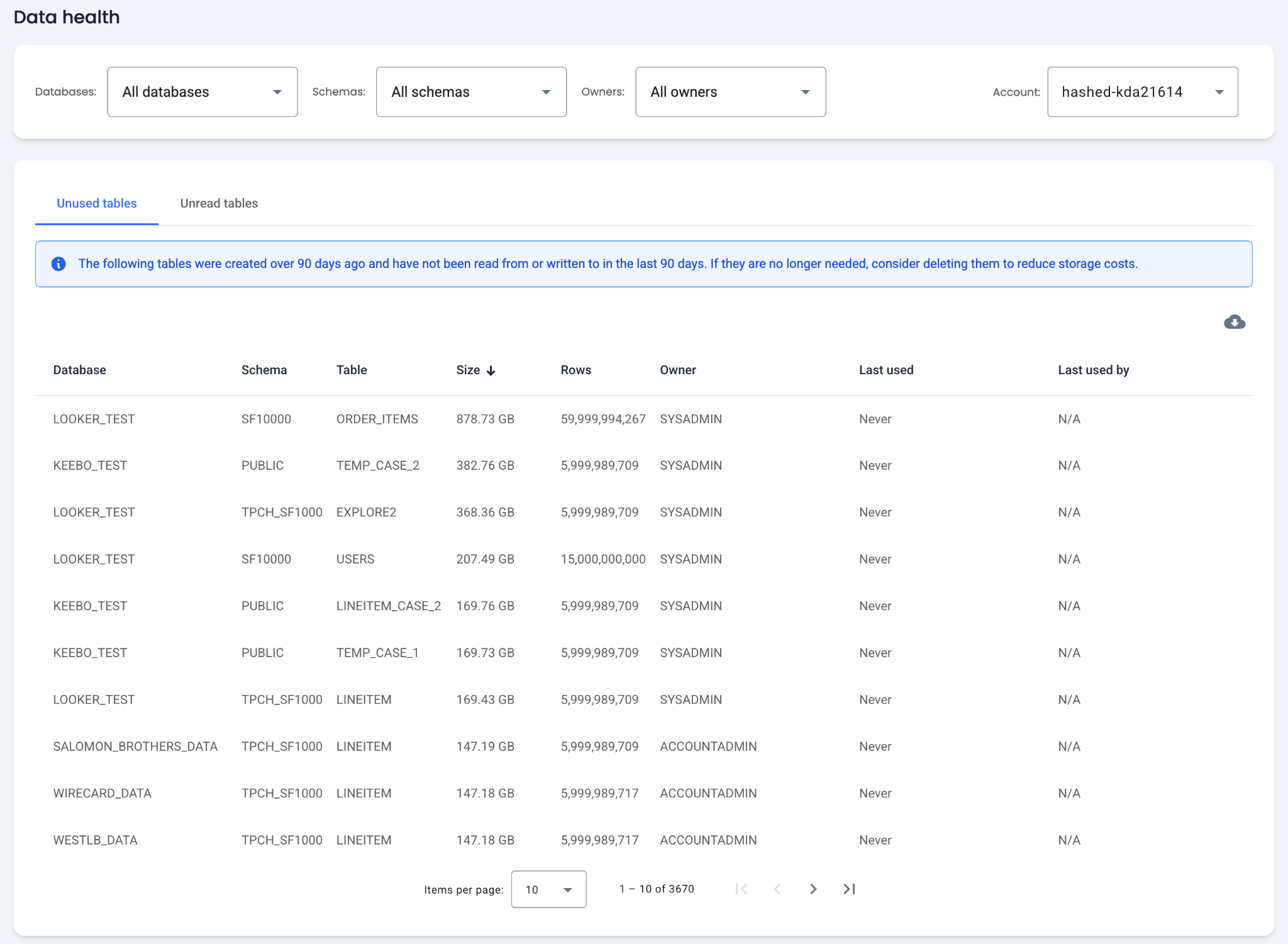
Table Columns
- Table Name — Columns for the database, schema, and name of each table.
- Size — The size of the table in terabytes.
- Rows — The number of records within the table.
- Owner — The owner of the table, typically the user that created it.
- Last Used — The date the table was last used. "Never" indicates the table was created but never read from or written to.
- Last Used By — The last user to read from or write to the table. "N/A" indicates the table was never accessed by a user.
The table is sorted by size by default, surfacing the largest unused tables first. These are typically the best candidates for investigation and deletion to save on storage costs. Filters are available for databases, schemas, and owners.
How Are Unread Tables Identified?
The "Unread Tables" tab shows tables that were modified but not read in the last 90 days. These tables may be constantly updated by an automated process while no one reads them.
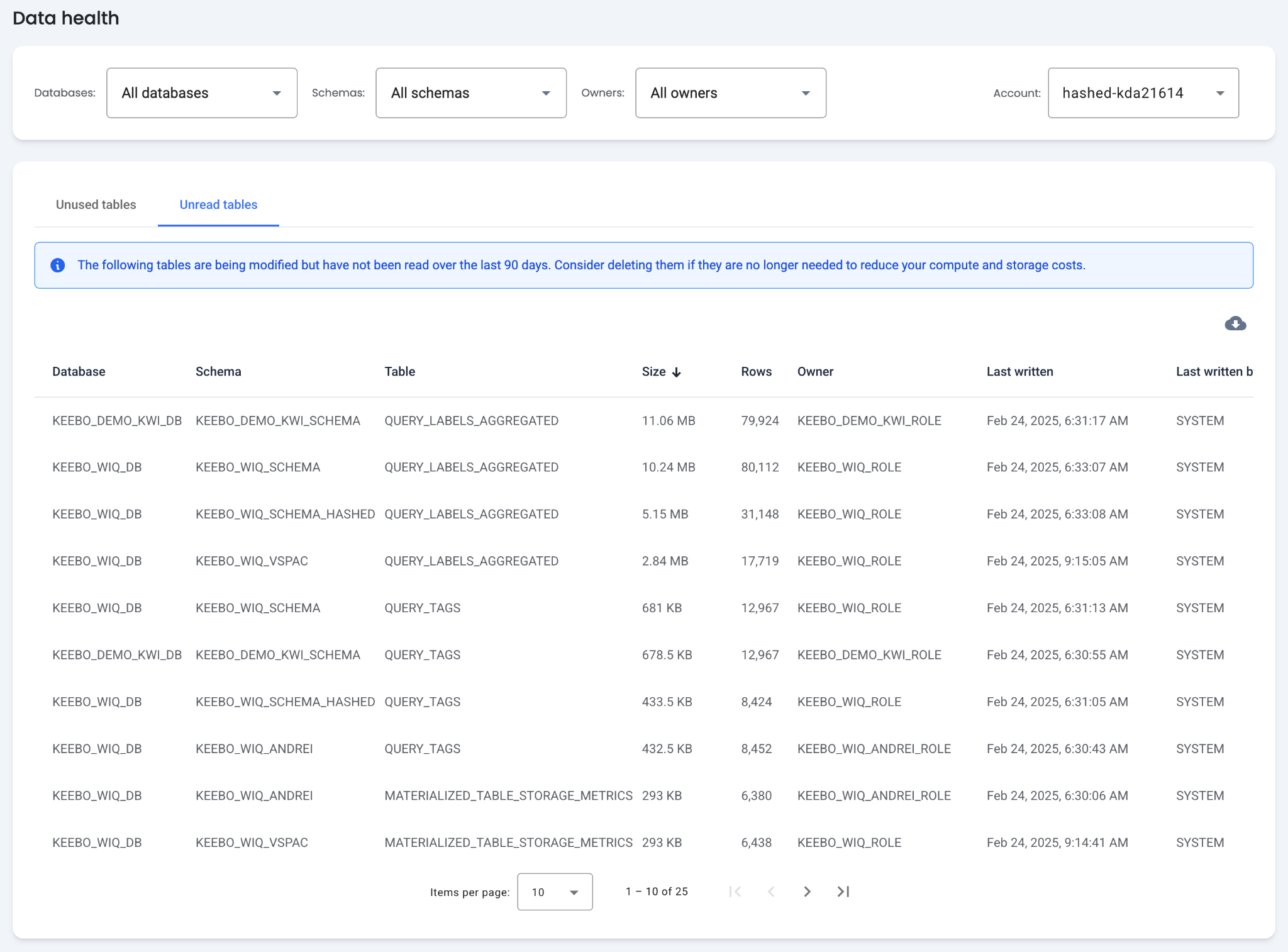
Table Columns
- Table Name — Columns for the database, schema, and name of each table.
- Size — The size of the table in terabytes.
- Rows — The number of rows within the table.
- Owner — The owner of the table, typically the user that created it.
- Last Written — The date the table was last written to.
- Last Written By — The user that last wrote to the table.
- Last Read — The date the table was last read. "Never" indicates the table has been written to but never read.
- Last Read By — The last user to read the table. "N/A" indicates the table has been written to but never read.
How To Filter the Data Health View?
Both tables on the "Data Health" page can be filtered by databases, schemas, and owners. Data is displayed for one account at a time.